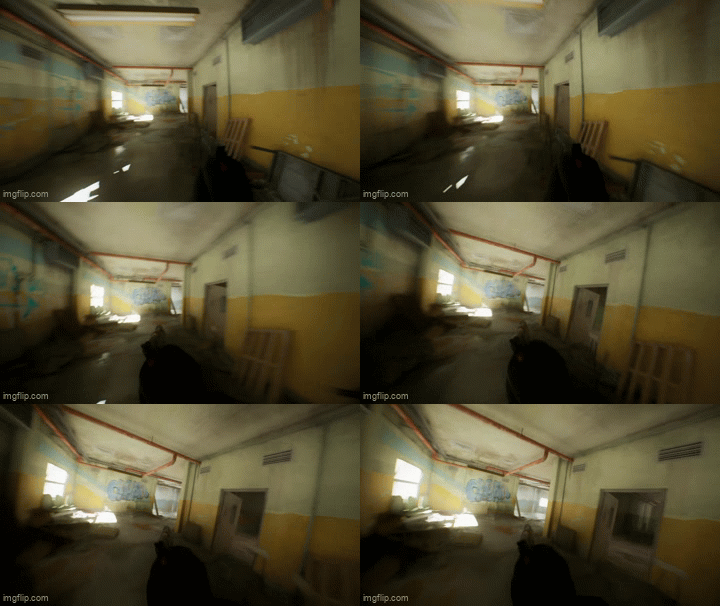
About
Contact is a first-person tactical shooter built in Unreal Engine 5 with C++.
It started as a pure AI showcase, how do you make enemies that read a fight instead of running a script, and grew into a fuller shooter along the way, with real camera feel
Enemies decide what to do through a utility-scoring brain on the controller, not a fixed priority ladder. Every combat state, attack, take cover, investigate, search, is scored fresh each frame from world facts (can it see the player, how hurt is it, was it just hit, is there even a threat), and the highest score wins.
The behaviour tree doesn't make decisions, it just executes whichever state the controller already chose.
Every decision is visible: an in-game AI debug visualizer draws sight cones, last-known-position markers, and live state labels over every agent, toggleable per category at runtime.
Weapon meshes and weapon animations from Kinematic.
FULL GAMEPLAY
AI BEHAVIOR & ARCHITECTURE
The controller decides, the tree executes
All decision-making lives in AEnemyController::DecideCombatState(), five independent scoring functions (ScoreAttack, ScoreTakeCover, ScoreInvestigate, ScoreSearch, ScoreHurt) run every tick. Highest score wins and gets written to one CombatState blackboard enum. The behaviour tree is a dumb switch over that single enum, one branch per state, no decorator soup, no way to be in two states at once.
Data-driven, single source of truth
Every tunable, sight radius, peripheral FOV, hearing range, sprint/walk speed, fire rate, lives in one UEnemyProfile data asset per archetype. OnPossess reads it once and applies it to perception and movement; nothing is hardcoded on the controller.
The visualizer is opt-in and decoupled
UAIVisualizerSubsystem is a UTickableWorldSubsystem agents register with on spawn and unregister on death,no agent needs to know the visualizer exists, and no debug code lives inside decision logic. Categories are toggled independently through a runtime UMG panel.
Work around the engine when the engine is wrong
AISense_Hearing never registers a valid sense ID in UE 5.8. Gunshot detection is a bespoke broadcast instead.
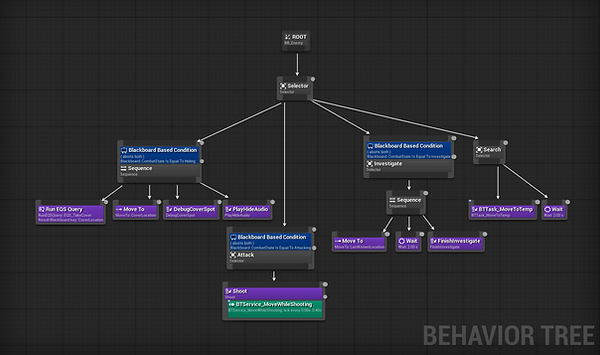
-
Perception: sight-based via UAISenseConfig_Sight, tuned per-profile.
-
Utility scoring loop: no cached priorities, no locking into a state longer than the facts support. ScoreTakeCover rewards low health and recent damage; ScoreAttack only fires with a live target; ScoreInvestigate only fires once a target is lost but a last-known position exists.
-
Self-preservation cover: take-cover is damage-driven, not threat-driven, an enemy at full health facing a visible player still attacks; the same enemy after taking damage flips to fleeing/hiding, with flee speed itself randomized so retreats don't read as uniform.
-
Squad awareness via gunshot broadcast: a static call notifies every controller in radius, independent of line of sight,the seed of squad coordination without a full comms system yet.
-
Debug visualizer: sight cones, sight/lose-sight radii, last-known-position markers, and live state labels, gated behind runtime-togglable categories so debugging one enemy doesn't clutter the view of the rest.
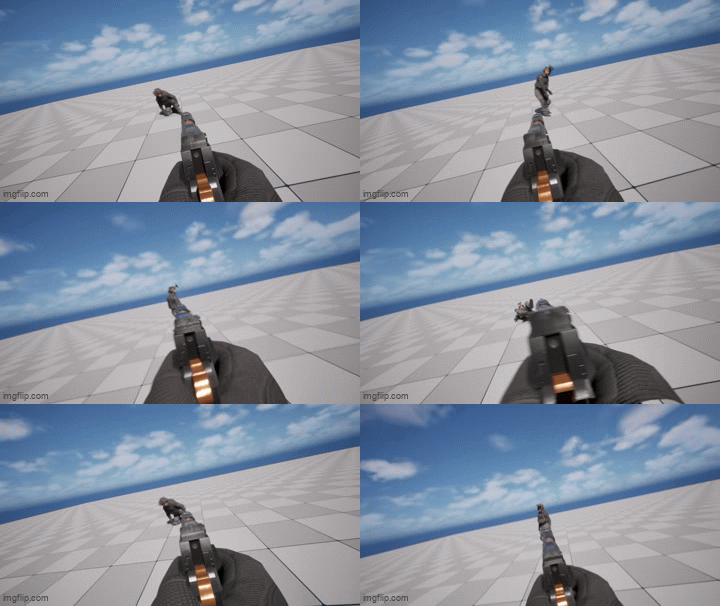
HIT BASED ANIMATION
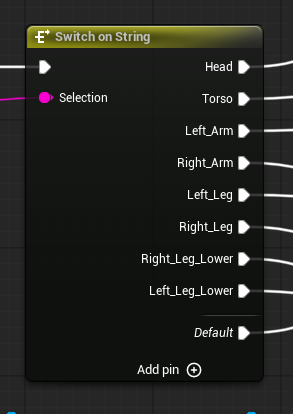
Hit animations are based on where the character his hit, via physics materials.
CODE SNIPPETS
.h
EnemyProfile
Config seeds runtime state: AEnemyController copies these values into its perception config and decision weights once, on possession. Nothing reads the profile per-frame, and no tunable is defined in two places.
.h
.cpp
EnemyController
The controller is the brain: every frame each combat state scores itself from world facts (visible target, health, recent damage, last-known location) and the highest score is written to the CombatState blackboard key. The behaviour tree only executes the chosen state, so it stays a flat switch with one mutually exclusive branch per state instead of a web of decorators.
.h
CombatState
AEnemyController scores every state and writes the winner here and to the matching blackboard key. The behaviour tree branches on this one value, so two contradictory states can never be active at once and reading one value tells you exactly what an agent is doing.
.h
AIVizCategory
Used for the in-game debug tool. Bitflags rather than separate bools so the whole enabled set is a single byte that persists to config in one write. The visualiser UI builds its row list by reflecting over this enum, so adding an overlay here adds its toggle for free.
EDITOR TOOLING
Every AI decision in Contact is visible at runtime, not just in a log file. A UAIVisualizerSubsystem, a UTickableWorldSubsystem, drives a debug overlay across every registered enemy controller, with each category independently toggleable through a runtime UMG panel, no recompile or console commands required.
-
Sight Cones / Sight Radius / Lose Sight Radius: draws each enemy's actual perception volume, the cone it can currently see down, and the two radii (detect vs. lose) that drive AISenseConfig_Sight, tuned per UEnemyProfile.
-
State Labels: floats the enemy's live CombatState above its head- Attacking, Hiding, Investigate, Searching, updated the instant the utility scores flip a decision, so you're watching the actual brain output, not a guess.
-
Last Known Location: marks where an enemy believes the player last was, independent of whether it can currently see them, the value the Investigate and Search states are actually driving toward.
-
Comm Lines: when an enemy hears a broadcast gunshot, a line flashes from that enemy to the reported location for a couple of seconds, makes the otherwise-invisible ReportGunshot broadcast (see case study) visible as it propagates across the squad.
-
EQS Points: when an enemy resolves a cover query, the chosen point is dropped as a sphere in the world for a couple of seconds, the result of the Environment Query System's search, not just the enemy's next waypoint.
Categories are bitflags (EAIVisCategory), persisted per-session through GConfig, so your toggle state survives between play sessions instead of resetting every time you hit play.

CAMERA MOVEMENT
The player mesh sits under a Spring Arm, as well as the camera itself. Adding lag to both gives the effect of the head turning and the arms following after.
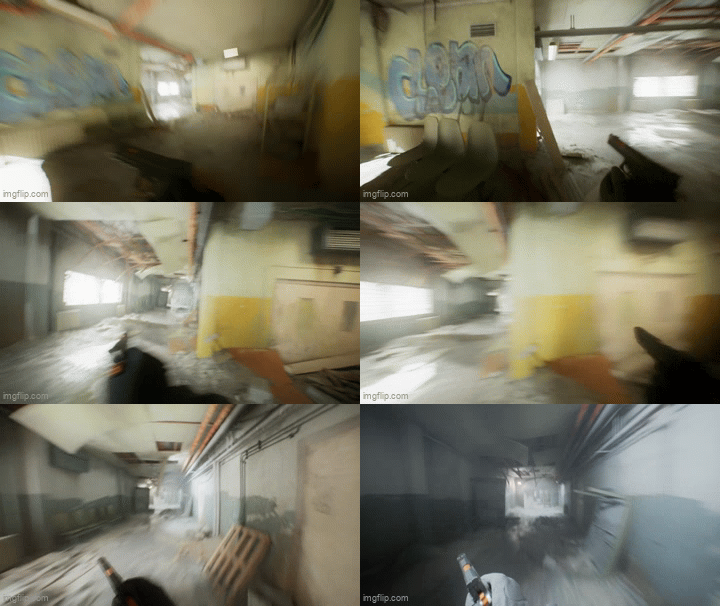
Idle, walk and run headbobs are controlled via velocity changes. Using Camera shake.